COCWarBase
October Major UI Update

Clash of Clans New UI: Where Every Button Moved

The October 2026 UI update puts Battle on the left, Build on the right, and moves your upgrades, army tools, events and account controls into clearer homes.

Clash Of Clans New User Interface image for Clash of Clans
Clash of Clans New User Interface: Battle, Build, Shop and the refreshed control layout.
Fast answer

Nothing important disappeared. Battle now holds your attack tools; Build now holds every Home Village upgrade. Learn those two buttons first.
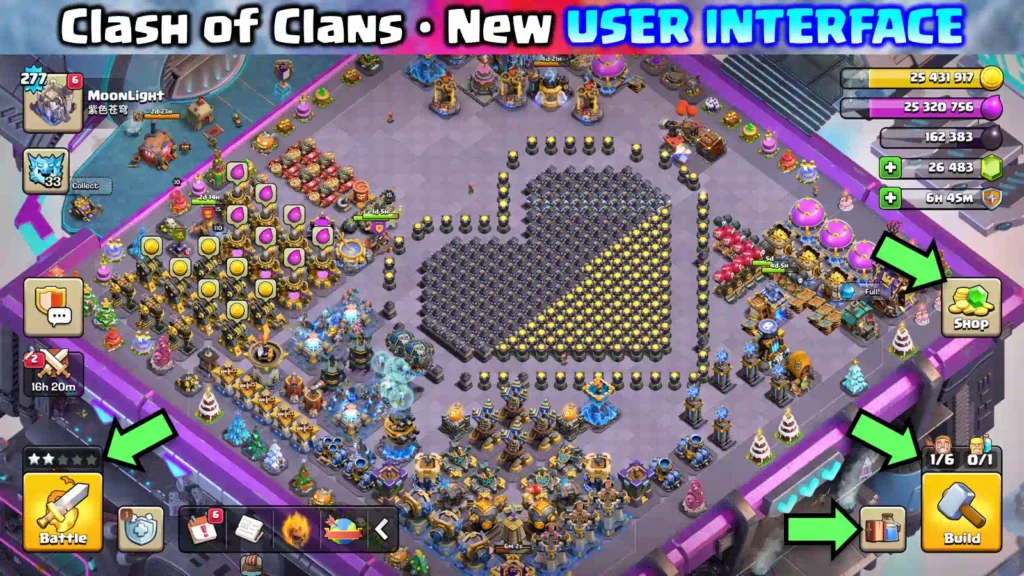
What changed on the main screen

The new Home Village map
AreaWhat it now holdsUse it when
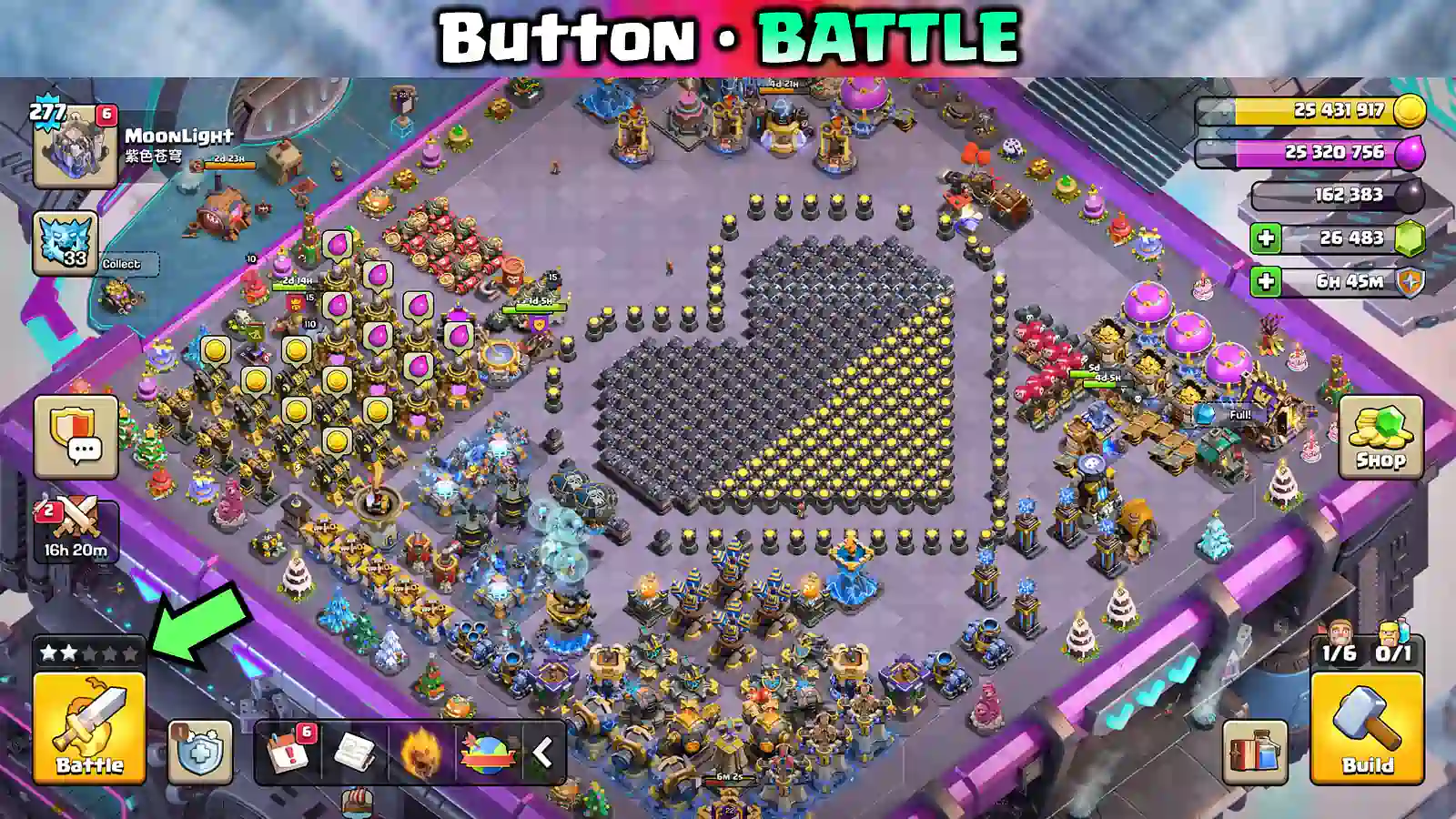
BattleBattle Log, Revenge, Live Replay, and Edit Army.You are preparing to attack or checking results.
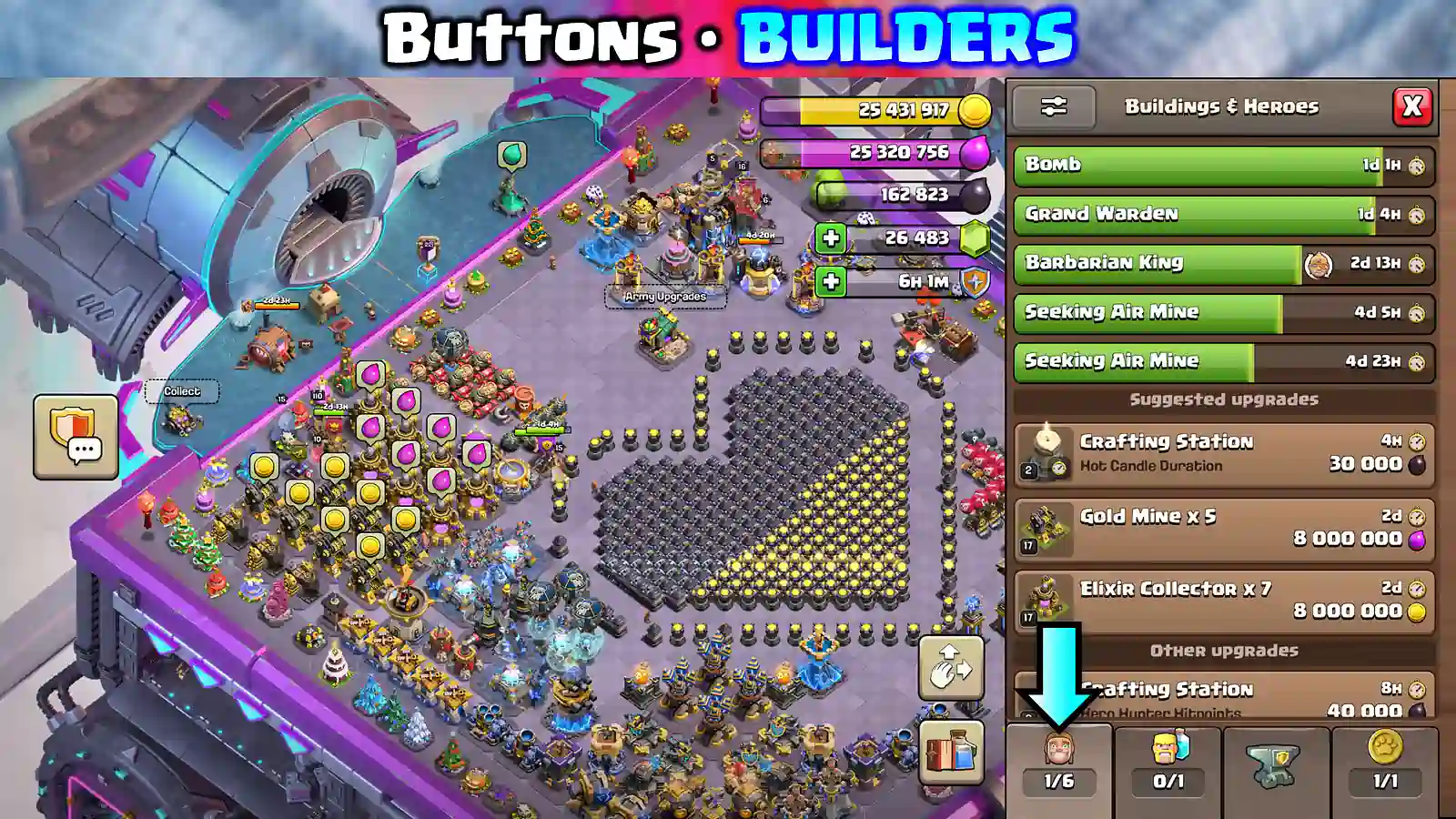
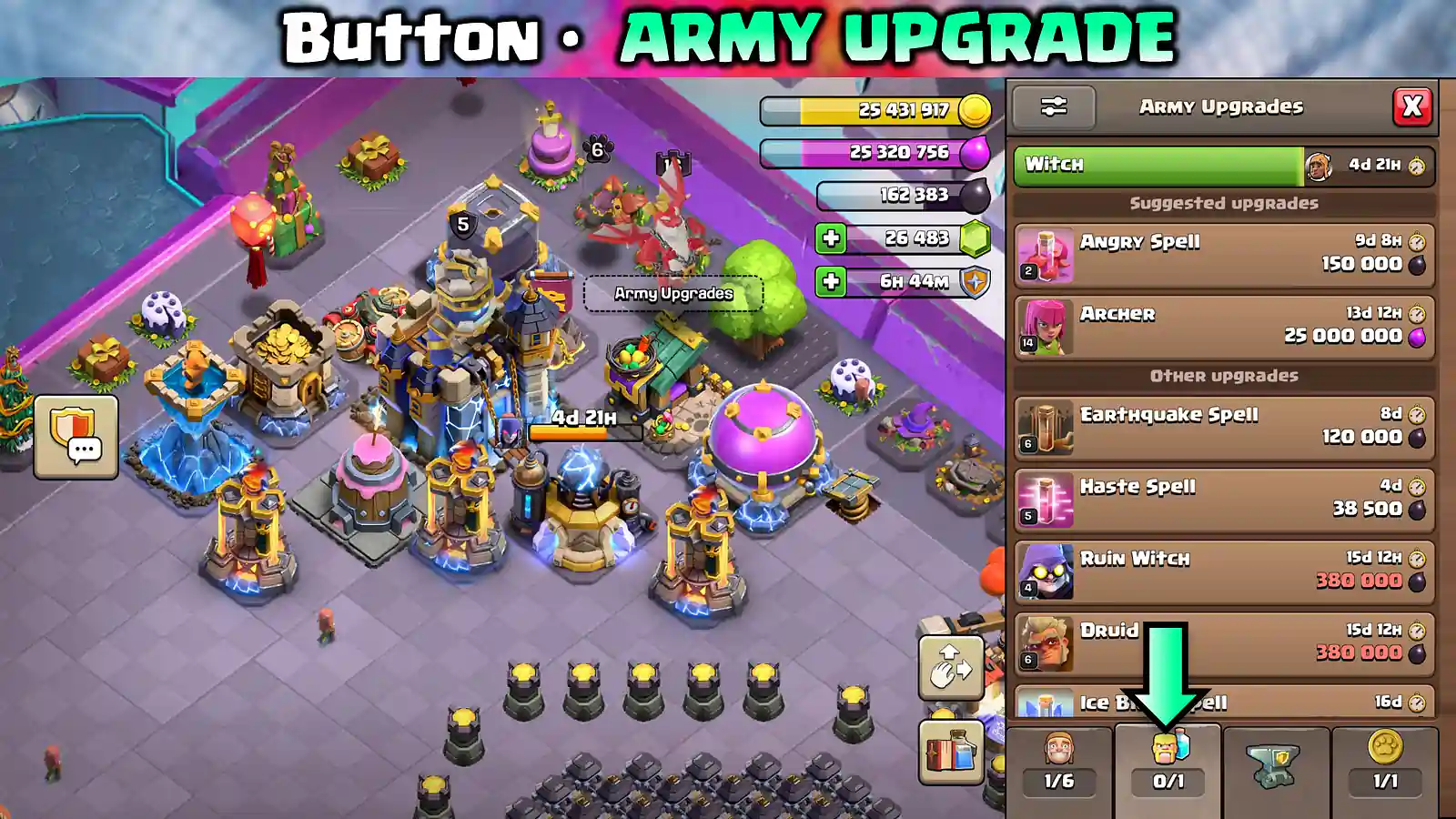
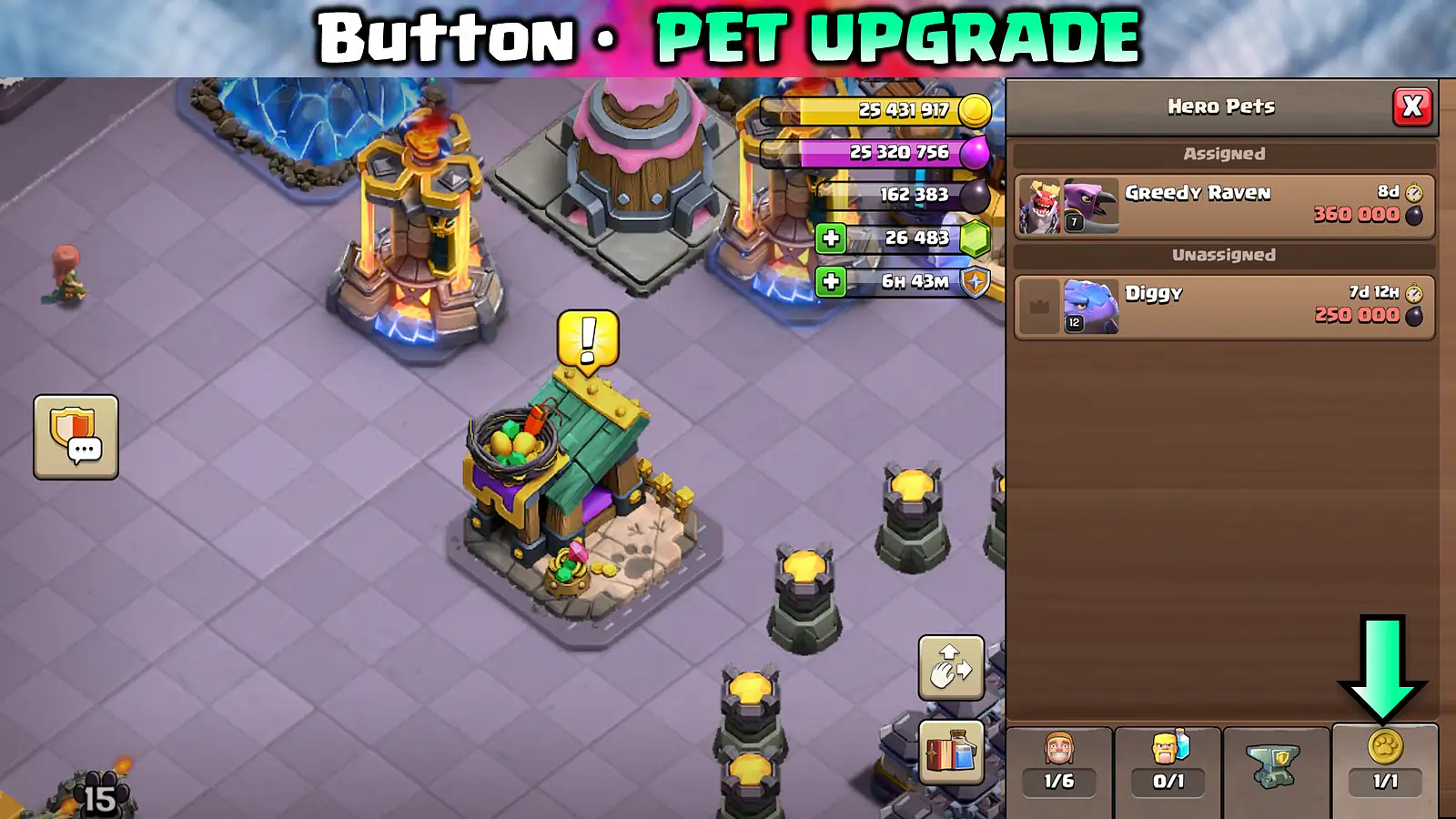
BuildBuildings & Heroes, Army Upgrades, Hero Equipment, and Hero Pets.You want to upgrade, unlock, or edit your village.
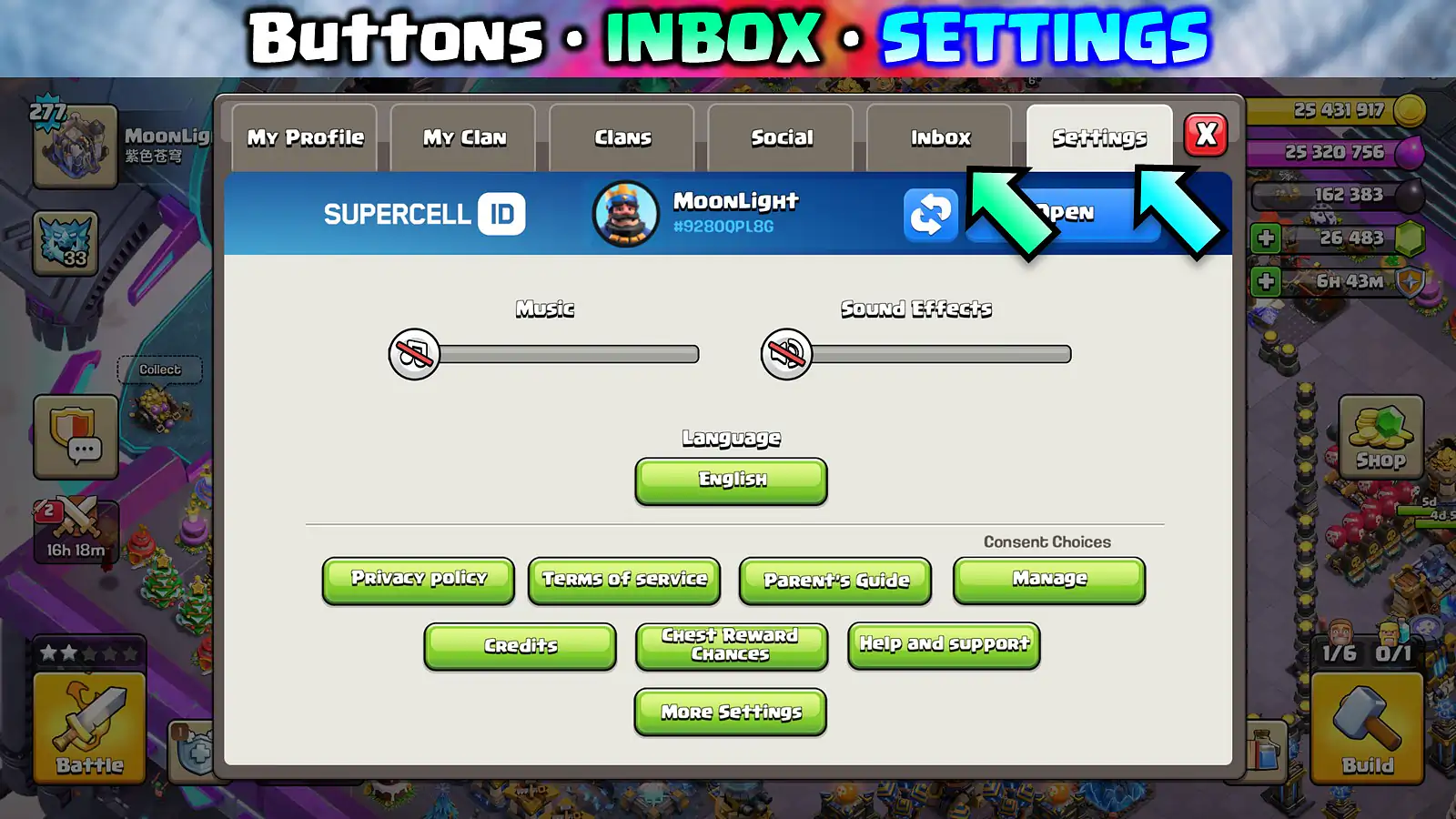
ProfileSettings, Inbox, Town Hall level, Clan details, and account switching.You need account or social controls.
Event TrayEvent Hub and Inbox; Gold Pass stays on its own button.You have event rewards or messages to check.
Magic ItemsBooks, Hammers, Runes, Potions, and Magic Snacks.You want an item without the Town Hall menu.
ResourcesShield sits beside resources; tabs show only relevant currencies.You are checking what an upgrade or item can spend.
Profile now keeps Inbox and Settings together, so account controls are no longer scattered across the village.
Battle is the new home for attacks, Battle Log, revenge prompts and live replay entry points.
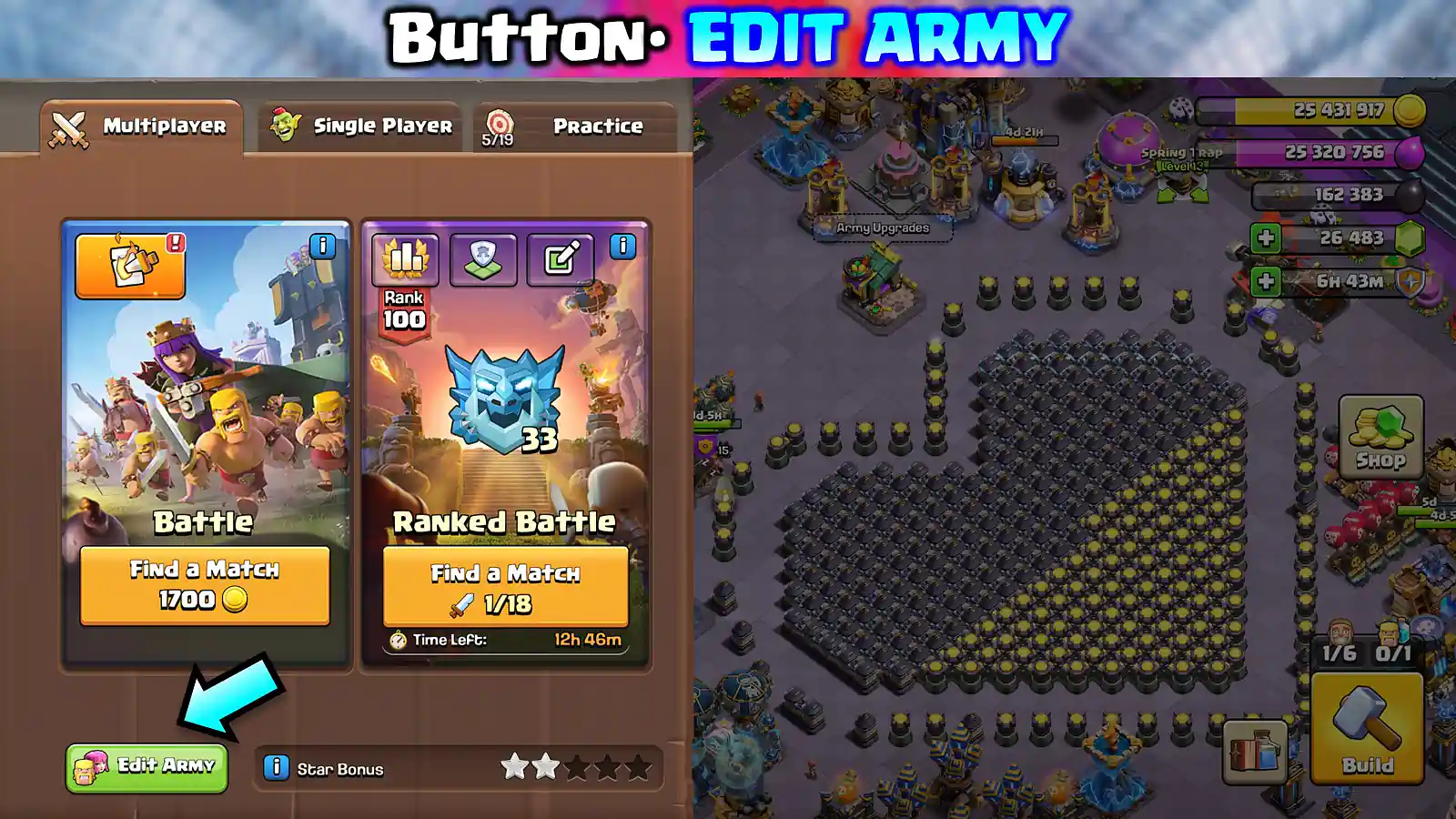
Open Battle, then Edit Army to review troops, spells, siege machines and hero choices before you match.

Build Menu: your new upgrade hub

Use the tab that matches the upgrade
Build tabFind herePlayer shortcut
Buildings & HeroesVillage upgrades, Hero upgrades, new buildings, Builder Apprentice.Open this first after a Town Hall upgrade.
Army UpgradesLaboratory upgrades and Lab Assistant.Sort by cost or filter your active army.
Hero EquipmentEquipment upgrades and Ore.Filter by Hero instead of hunting through the Blacksmith.
Hero PetsPet upgrades and relevant resources.Pair pets with the Heroes in your main attack.
Build → Buildings & Heroes groups village construction and Hero upgrades in one worklist.
Build → Army Upgrades holds troop, spell and siege research instead of making you hunt each building.
Build → Hero Pets is where you assign and upgrade pets alongside your Hero planning.

Where did my button go?

Common moves after the UI rework
Looking forNew location
Battle Log / Revenge / Live ReplayInside Battle; its icon signals Revenge or a Live Replay.
Edit ArmyInside Battle.
Edit LayoutOpen Build; the conditional button appears at bottom-right.
Laboratory upgradesBuild → Army Upgrades.
Hero EquipmentBuild → Hero Equipment.
Hero PetsBuild → Hero Pets.
New buildingsBuild → Buildings & Heroes.
Settings / Supercell IDProfile → Settings.
Clan War / CWLClan Chat card; a dedicated button returns during active war.
ShieldBeside your resources.

Getting used to the new UI

  • Open Build once and check every tab so the new locations stick.
  • Open Battle, then Battle Log, so Revenge and Live Replay indicators make sense.
  • Hero Equipment can now be filtered by King, Queen, Warden, Royal Champion, Minion Prince, or Dragon Duke.
  • Collapse the Event Tray if you want a quieter village screen.