TH19 Progress Base 9 – Wall Blocks and Central Trap Rows
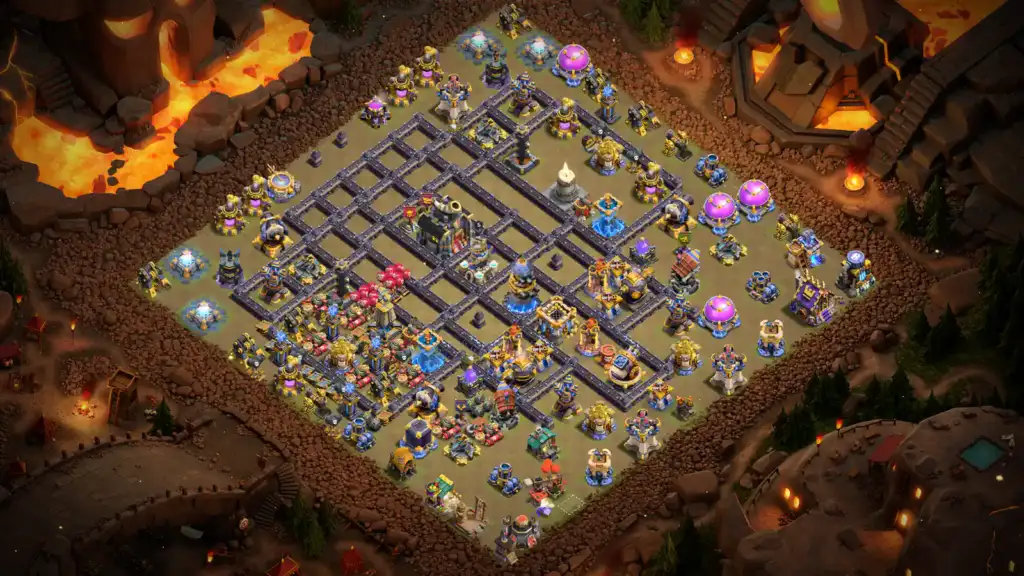
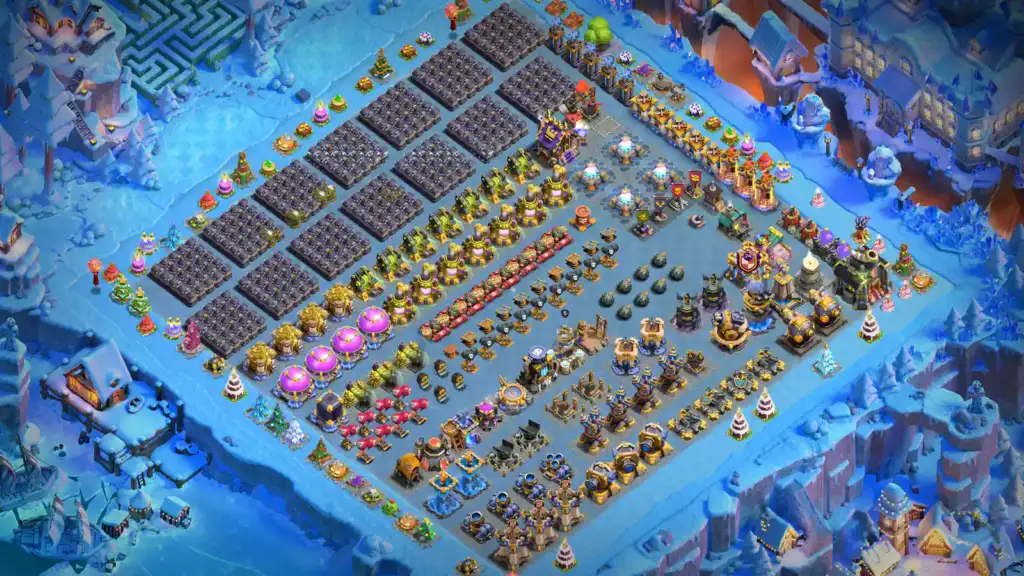
Small rectangular wall blocks take up the upper-left of this progress layout. The Town Hall and several larger defenses sit on the right. Between them, resource buildings and traps form…
Download/Copy This Base
Opens the official Clash of Clans layout link. Check the preview in game before you replace your current layout.
Base Layout Analysis
Small rectangular wall blocks take up the upper-left of this progress layout. The Town Hall and several larger defenses sit on the right. Between them, resource buildings and traps form visible lines, so I can inspect one category without searching through a defensive maze.
Trap placement
The central Seeking Air Mine line is above the Laboratory, near 6 o'clock. Farther left, red Air Bombs are displayed beside the Dark Elixir Storage around 7 o'clock. Spring Traps follow neighboring diagonal rows. I would inspect those lines as separate trap inventories while editing this progress layout.
Defense mechanics
The Inferno Towers run along the upper-right edge. X-Bows and Air Defenses are grouped farther down the right, with the Multi-Gear Tower nearer the Town Hall. Their arrangement makes the building types visible together; it is not a set of defensive compartments intended to funnel an army.
Resource placement
Gold Storages line the lower-left side of the wall blocks. Elixir Storages form the next diagonal row, with collectors extending above and to the right. The Dark Elixir Storage sits below those rows near the Air Bomb group. Storage and collector groups can be inspected separately.
Base design
Each rectangular block provides a small wall selection to inspect before moving across to the storage rows. After checking those, continue toward the defense bank on the right. This is a practical inventory sequence based on the grouping shown, without assigning an animal or letter to the wall pattern.
Before You Download/Copy This Base
- Match the Town Hall. This layout is for TH19. Buildings you have not unlocked stay in the builder bar.
- Check the layout. Check whether the wall and building groups suit your upgrade plan.
- Adjust to your village. Move the display groups as your upgrade list changes.
More TH19 Bases