TH19 Progress Base 3 – Long Wall Rows and Diagonal Upgrade Groups
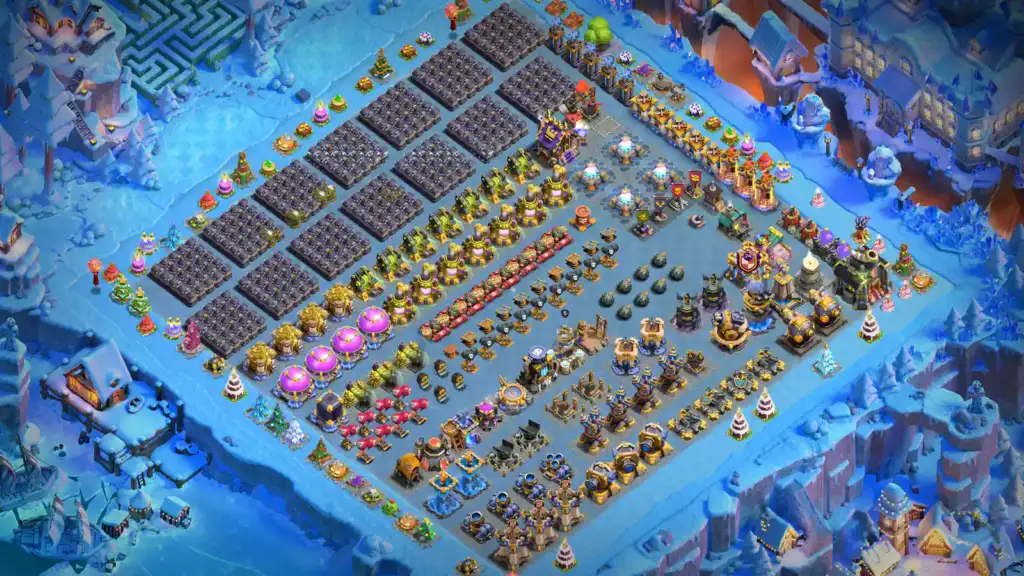
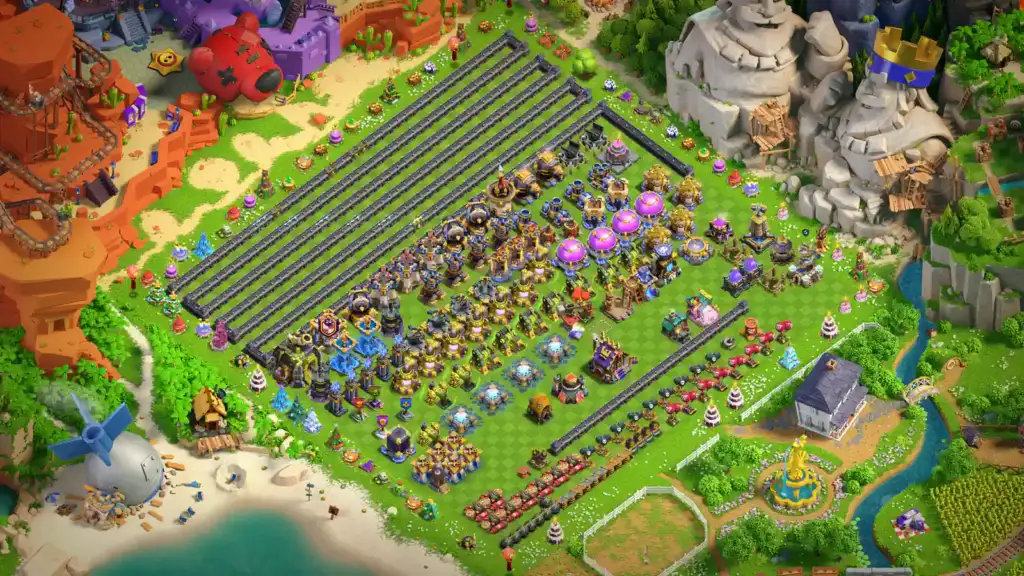
Long parallel wall strips fill the upper-left half of this TH19 progress base. Buildings run in diagonal groups below and to the right. I would use the arrangement to inspect…
Download/Copy This Base
Opens the official Clash of Clans layout link. Check the preview in game before you replace your current layout.
Base Layout Analysis
Long parallel wall strips fill the upper-left half of this TH19 progress base. Buildings run in diagonal groups below and to the right. I would use the arrangement to inspect wall batches and matching structures without moving them around the editor first.
Trap placement
The trap display runs along the front, roughly 4 to 6 o'clock, below the Hero Hall and grouped buildings. Red Air Bombs and black Seeking Air Mines have separate lines, with ground traps nearby. I would count the displayed rows directly; their orderly spacing belongs to an upgrade inventory.
Defense mechanics
Matching defenses are gathered into runs beside the wall collection. Air Defenses, Inferno Towers and other building types can be compared within their respective groups. The Town Hall is at the lower-left end of the building bank. The open display does not surround it with a conventional defensive core.
Resource placement
Gold Storages sit toward the upper-right end of the grouped buildings, with Elixir Storages in a neighboring diagonal line. The Dark Elixir Storage is lower-left, near the hero banners and Builder's Huts. Those distinct locations help separate resource buildings from the wider defense inventory.
Base design
For wall upgrades, finish a strip before selecting its neighbor, then move to a matching building group. That keeps the current selection visible in the editor. Preserve the long strips during changes so completed and unfinished selections remain straightforward to locate without rearranging the whole display.
Before You Download/Copy This Base
- Match the Town Hall. This layout is for TH19. Buildings you have not unlocked stay in the builder bar.
- Check the layout. Check whether the wall and building groups suit your upgrade plan.
- Adjust to your village. Move the display groups as your upgrade list changes.
More TH19 Bases